Commit exactly what you mean.
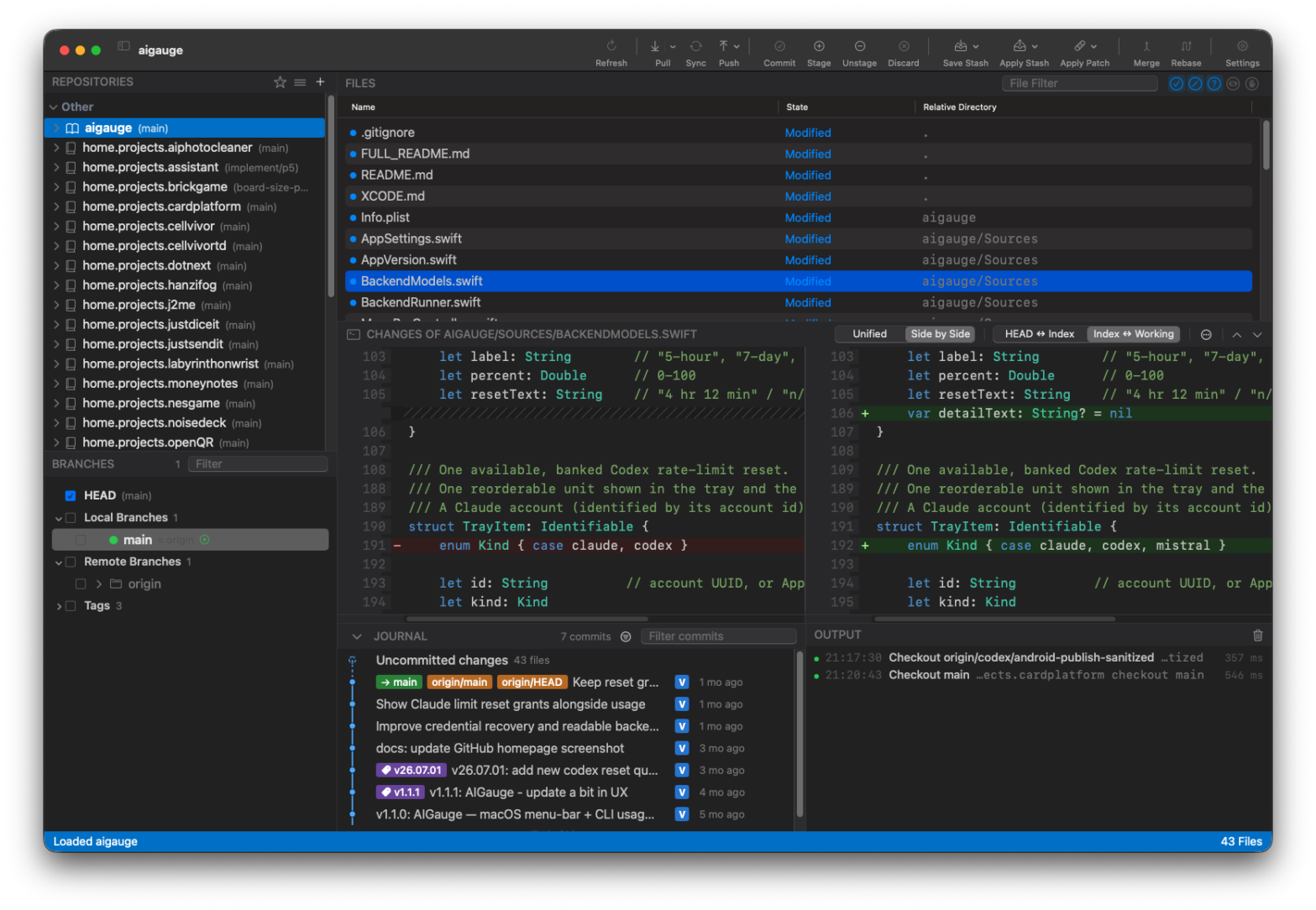
Read diffs side by side. Stage a whole file, a hunk, or a single line. Keep the rest for later.
HEAD ↔ Index ↔ Working treeA LITTLE GIT CLIENT FOR YOUR MAC
A native, open-source Git client for macOS.
A familiar alternative to SmartGit, made with
SwiftUI.
macOS 14+ · Apple silicon · Public download coming soon

 View full size
Repos, changes, history. All in one place.Actual app screenshot
THE EVERYDAY GOOD STUFF
For the changes you make every day, and the history you need to make sense of.
Read diffs side by side. Stage a whole file, a hunk, or a single line. Keep the rest for later.
HEAD ↔ Index ↔ Working treeFollow the commit graph, search changes, manage branches, and tidy up with interactive rebase and fixups.
Branches · Reflog · WorktreesGroup your repositories, resolve merge conflicts, and open a terminal inside the app. GitHub CLI sign-in fits right in.
Your repositories. Your workflow.A FAMILIAR PLACE TO LAND
Bring your repository list along. No need to clone it all again.
Choose Sync from SmartGit on the welcome screen or in the app menu.
Review the repositories, groups, and any paths that are no longer on your Mac.
Choose Import. Your existing repositories appear in SmallGit.
Your SmartGit configuration stays untouched. Passwords are not imported.
WHY A POTATO?
“Vibe-coded with AI agents. I built it, and you can too. But this one's a small potato. Save your AI credits for bigger potatoes.”
Free to use. Open source under MIT.
Take it, make
it yours, and build something good.
BEFORE YOU DIG IN
macOS 14 or later and Git installed on your Mac. The current prebuilt download is for Apple silicon (arm64). Intel and universal downloads are not available yet.
Public downloads will be available here once the repository opens. Unzip the download and drag SmallGit.app into Applications. The release includes a SHA-256 checksum and build details.
The current build is ad-hoc signed and has not been notarized by Apple. macOS may block the first launch. If you trust the download, follow Apple's instructions for opening an unidentified app.
SmallGit focuses on common everyday Git workflows. It is an independent project. Cherry-pick UI and bisect are still in progress; dedicated GPG signing, Git LFS, and pull-request interfaces are planned. Interactive rebase does not yet support reword or edit.
Yes. SmallGit uses the MIT license. Keep the required copyright and license notices. A credit to VUBA and a link back to SmallGit would be appreciated; that extra public credit is optional.
Email dev@vuba.one with feedback. Include your app version, macOS version, and steps to reproduce. Please remove private repository details from screenshots and logs. For security issues, email dev@vuba.one privately.
ONE SMALL THING, SORTED.
macOS 14+ · Apple silicon · Public download coming soon